Interesting links - July 2025
First up, allow me a shameless plug for my blog posts this month:
Iceberg nicely decouples storage from ingest and query (yay!). When we say "decouples" it’s a fancy way of saying "doesn’t do". Which, in the case of ingest and query, is really powerful. It means that we can store data in an open format, populated by one or more tools, and queried by the same, or other tools. Iceberg gets to be very opinionated and optimised around what it was built for (storing tabular data in a flexible way that can be efficiently queried). This is amazing!
But, what Iceberg doesn’t do is any housekeeping on its data and metadata. This means that getting data in and out of Apache Iceberg isn’t where the story stops.
Without wanting to mix my temperature metaphors, Iceberg is the new hawtness, and getting data into it from other places is a common task. I wrote previously about using Flink SQL to do this, and today I’m going to look at doing the same using Kafka Connect.
Kafka Connect can send data to Iceberg from any Kafka topic. The source Kafka topic(s) can be populated by a Kafka Connect source connector (such as Debezium), or a regular application producing directly to it.
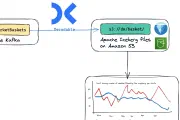
In this blog post I’ll show how you can use Flink SQL to write to Iceberg on S3, storing metadata about the Iceberg tables in the AWS Glue Data Catalog. First off, I’ll walk through the dependencies and a simple smoke-test, and then put it into practice using it to write data from a Kafka topic to Iceberg.
After a week’s holiday ("vacation", for y’all in the US) without a glance at anything work-related, what joy to return and find that the DuckDB folk have been busy, not only with the recent 1.3.0 DuckDB release, but also a brand new project called DuckLake.
Here are my brief notes on DuckLake.
SQL. Three simple letters.
Ess Queue Ell.
/ˌɛs kjuː ˈɛl/.
In the data world they bind us together, yet separate us.
As the saying goes, England and America are two countries divided by the same language, and the same goes for the batch and streaming world and some elements of SQL.
Another year, another Current—another 5k run/walk for anyone who’d like to join!
Whether you’re processing data in batch or as a stream, the concept of time is an important part of accurate processing logic.
Because we process data after it happens, there are a minimum of two different types of time to consider:
When it happened, known as Event Time
When we process it, known as Processing Time (or system time or wall clock time)
Confluent Cloud for Apache Flink gives you access to run Flink workloads using a serverless platform on Confluent Cloud. After poking around the Confluent Cloud API for configuring connectors I wanted to take a look at the same for Flink.
Using the API is useful particularly if you want to script a deployment, or automate a bulk operation that might be tiresome to do otherwise. It’s also handy if you just prefer living in the CLI :)
The problem with publishing February’s interesting links at the beginning of the month and now getting around to publishing March’s at the end is that I have nearly two months' worth of links to share 😅 So with no further ado, let’s crack on.
| tl;dr: Upload a PDF document in which each slide of the carousel is one page. |
I wanted to post a Carousel post in LinkedIn, but had to wade through a million pages of crap in Google from companies trying to sell shit. Here’s how to do it simply.
In this blog post I’m going to explore how as a data engineer in the field today I might go about putting together a rudimentary data pipeline. I’ll take some operational data, and wrangle it into a form that makes it easily pliable for analytics work.
After a somewhat fevered and nightmarish period during which people walked around declaring "Schema on Read" was the future, that "Data is the new oil", and "Look at the size of my big data", the path that is history in IT is somewhat coming back on itself to a more sensible approach to things.
As they say:
What’s old is new
This is good news for me, because I am old and what I knew then is 'new' now ;)
DuckDB added a very cool UI last week and I’ve been using it as my primary interface to DuckDB since.
One thing that bothered me was that the SQL I was writing in the notebooks wasn’t exportable. Since DuckDB uses DuckDB in the background for storing notebooks, getting the SQL out is easy enough.
I wrote a couple of weeks ago about using DuckDB and Rill Data to explore a new data source that I’m working with. I wanted to understand the data’s structure and distribution of values, as well as how different entities related. This week DuckDB 1.2.1 was released and that little 0.0.1 version boost brought with it the DuckDB UI.
Here I’ll go through the same process as I did before, and see how much of what I was doing can be done in DuckDB alone now.
In this blog article I’ll show you how you can use the confluent CLI to set up a Kafka cluster on Confluent Cloud, the necessary API keys, and then a managed connector.
The connector I’m setting up is the HTTP Source (v2) connector.
It’s part of a pipeline that I’m working on to pull in a feed of data from the UK Environment Agency for processing. The data is spread across three endpoints, and one of the nice features of the HTTP Source (v2) connector is that one connector can pull data from more than one endpoint.
Much as I love kcat (🤫 it’ll always be kafkacat to me…), this morning I nearly fell out with it 👇
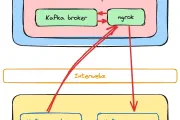
😖 I thought I was going stir crazy, after listing topics on a broker and seeing topics from a different broker.
😵 WTF 😵
Some would say that the perfect blog article takes the reader on a journey on in which the development process looks like this: